
How to Apply for Government Jobs in Tanzania
How to Apply for Government Jobs in Tanzania
How to Apply for Government Jobs in Tanzania
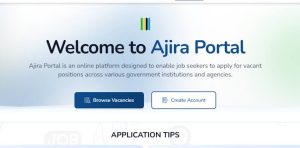
Applying for government jobs in Tanzania is a highly structured, centralized process managed by the Public Service Recruitment Secretariat (PSRS), commonly known as Utumishi. Nearly all civil service vacancies across ministries, independent departments, agencies, and local government authorities are processed through a single online system: the Ajira Portal.
Navigating this system correctly is critical, as any minor errors in document formatting or missing information can automatically disqualify your application.
Prerequisites Before You Begin
Before opening the portal, gather and scan the following original documents into PDF format (the maximum file size allowed is usually around 2MB per document):
-
National ID (NIDA) Number: Essential for identity verification.
-
Academic Certificates: Form Four (CSEE), Form Six (ACSEE), and your Degree/Diploma certificates. Note: Transcripts or provisional results are generally not accepted unless specified.
-
Professional Registrations: If applicable (e.g., ERB for engineers, NBAA for accountants, MCT for medical practitioners).
-
Birth Certificate: Essential for proof of age and citizenship.
-
Passport-Size Photo: Clear, recent, with a blue or white background (usually JPEG/PNG).
-
An Application Letter: Addressed directly to the Secretary of the Public Service Recruitment Secretariat (PSRS) or the specific address given in the job advert.
Step-by-Step Application Process
Pro-Tips for a Successful Application
-
Avoid Using Result Slips: Utumishi strictly requires formal certificates. Do not upload provisional results, transcripts, or “Testimonials” unless the specific advert explicitly gives that allowance.
-
NECTA Verification: The portal automatically integrates with NECTA systems. Ensure your Form Four/Six index numbers are entered correctly so your grades populate automatically.
-
Name Discrepancies: Ensure the names on your NIDA, academic certificates, and birth certificate match exactly. Discrepancies in spelling or order can cause issues during vetting.
-
Track Your Status: After applying, regularly log back into the portal and check the “My Applications” tab. This is where notifications for aptitude tests, practical exams, and final interviews will be posted.
For a complete visual walkthrough of setting up your account, entering data, and managing the new interface features, see this step-by-step guide on How to Apply for a Job Through Ajira Portal, which covers common mistakes to avoid during the submission process.
Related Articles: