

How to Login on NHIF Self Service Tanzania
How to Login on NHIF Self Service Tanzania
In Tanzania, the NHIF Self-Service Portal is a digital platform designed to help members, employers, and healthcare providers manage their health insurance details without visiting a physical office.
As of March 2026, the portal is the primary hub for the “Universal Health Insurance” (Bima ya Afya kwa Wote) initiatives in Tanzania.
In Tanzania, the NHIF Self Service portal is the primary way to manage your health insurance, check contributions, and add dependents.
How to Access:
-
Official Website: Visit selfservice.nhif.or.tz.
-
Registration (First-time users):
-
Click on “Register” and select “Member Account.”
-
Choose your group (e.g., Employee, Student, or Individual).
-
Enter your NHIF Membership Number, Phone Number, and Email.
-
Create a password and verify your account via the OTP sent to your phone.
-
-
Login: Once registered, use your email/membership number and password to log in. You may be asked to verify your NIDA (National ID) number during the first login.
-
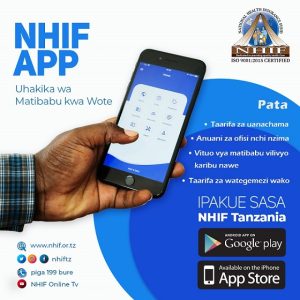
Mobile App: You can also download the NHIF Tanzania app from the Google Play Store for easier access.
Key Access Links
-
Member Portal: selfservice.nhif.or.tz (For individual members/employees).
-
Employer Portal: verification.nhif.or.tz/EmployerPortal (For companies to manage staff contributions).
-
Official Website: www.nhif.or.tz (For news and general info)
To access the NHIF Service Portal, you need to have the following requirements:
- An internet connection and a web browser
- A valid username and password for the NHIF portal
- An NHIF membership and card number
- Identification documents such as National ID or passport
- Photos of yourself, your spouse, and your children (if applicable)